Here is the uncomfortable bit: people are already asking ChatGPT about businesses like yours. Until now you had no way to step in and say "no, here are the real facts". OpenAI has opened a door for that, called Business Hub. Most owners have not even heard of it yet. That gap will not last.
Short answer: Business Hub is the place inside ChatGPT where an owner can claim their business, add the details ChatGPT should know, and see how often it was mentioned. You open it from the ChatGPT sidebar, search for your business, verify that you represent it, then pass an ID check. Claiming is not a ranking switch, but it is the first time you can put your own facts in front of ChatGPT yourself.
Claiming lets you manage the information you give. It does not let you control ChatGPT's own recommendations.
Paraphrased from OpenAI, Setting up your business on ChatGPT, OpenAI Help Center, read 12 November 2026. All rights remain with OpenAI.
Everything below comes from that help page. OpenAI is still changing it, so check it before you start.
My take: if you wait, you are the one left out
This is opinion, and I am not going to dress it up. When a new door opens in how customers find businesses, a small group of owners walks through in the first weeks and everyone else spends the next two years wondering why those few look more trusted. I expect the same here.
Think about the alternative. A customer asks ChatGPT about a business like yours. If you have not claimed anything, the answer comes from whatever ChatGPT found elsewhere, and OpenAI itself says it may keep using other sources even after you claim. The owner who claimed and corrected the facts is at least in the room. The owner who did not is being described by strangers. I would not enjoy that.
Now the honest part, so the hype does not run away with you: claiming does not promise a single extra mention. It is not magic. It is the minimum you do so your facts are on the table. Skipping it because "AI is a fad" is the same bet people made about having a website.
Who is left out? The ones who do nothing. This has rolled out to businesses around the globe, not just US firms, so there is no "it is not for my country" excuse. Whether you run a shop in Lahore, a clinic in Birmingham or a store in Dubai, the door is open to you today. Your competitor next door is reading this same news. Be the one who walks in first.
What Business Hub does
It lets you claim your business in ChatGPT, provide business details and product information, and see how people engage with it. Once verified you can update your website, description, category, logo, delivery policy and return policy, and add a cover photo. If you sell products you can connect a product feed (a Shopify feed or a CSV) so prices and availability are shared.
Who can claim
You must own the business or be authorised to represent it, verify that link, and be approved. You do not need an Ads account or a ChatGPT Enterprise agreement. It is open to businesses worldwide. If you cannot find your business in the search, you may be offered a way to add it.
How to claim, step by step
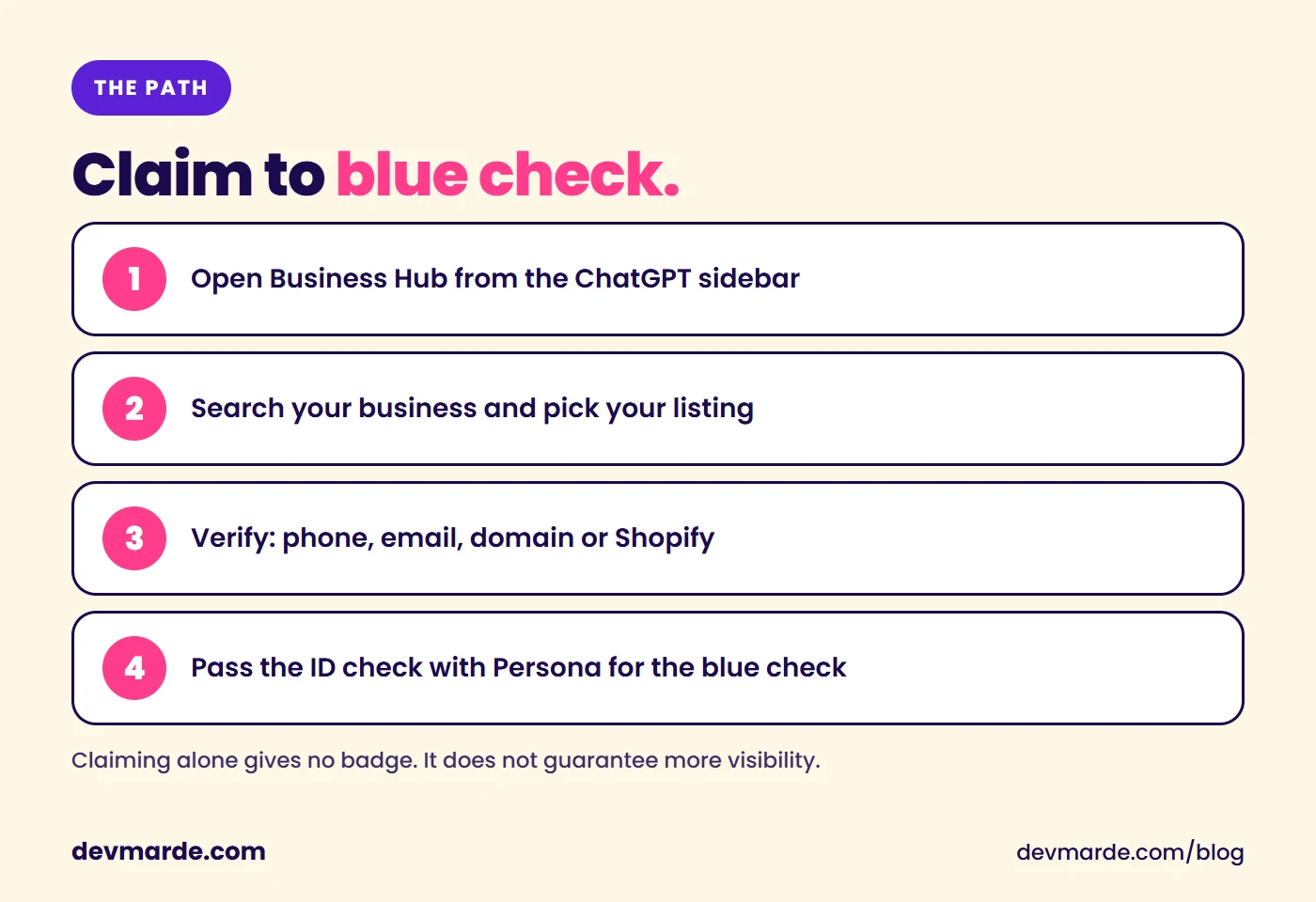
- Sign in to ChatGPT and open Business Hub from the sidebar.
- Search for your business by name, pick the listing that matches, and confirm which ChatGPT account will manage it.
- Choose a verification method (below) and follow the prompts.
- Wait for approval. OpenAI emails its decision or asks for more information.
- Complete the ID check with Persona. Without it you cannot publish changes, connect a product feed or view insights.
How ChatGPT verifies you
ChatGPT checks you properly. You verify your business phone, your business email and your website domain, and then you pass an ID check through Persona on top. Expect to prove it is really you at every level. That is exactly why a claimed, verified profile carries weight. Here is each check:
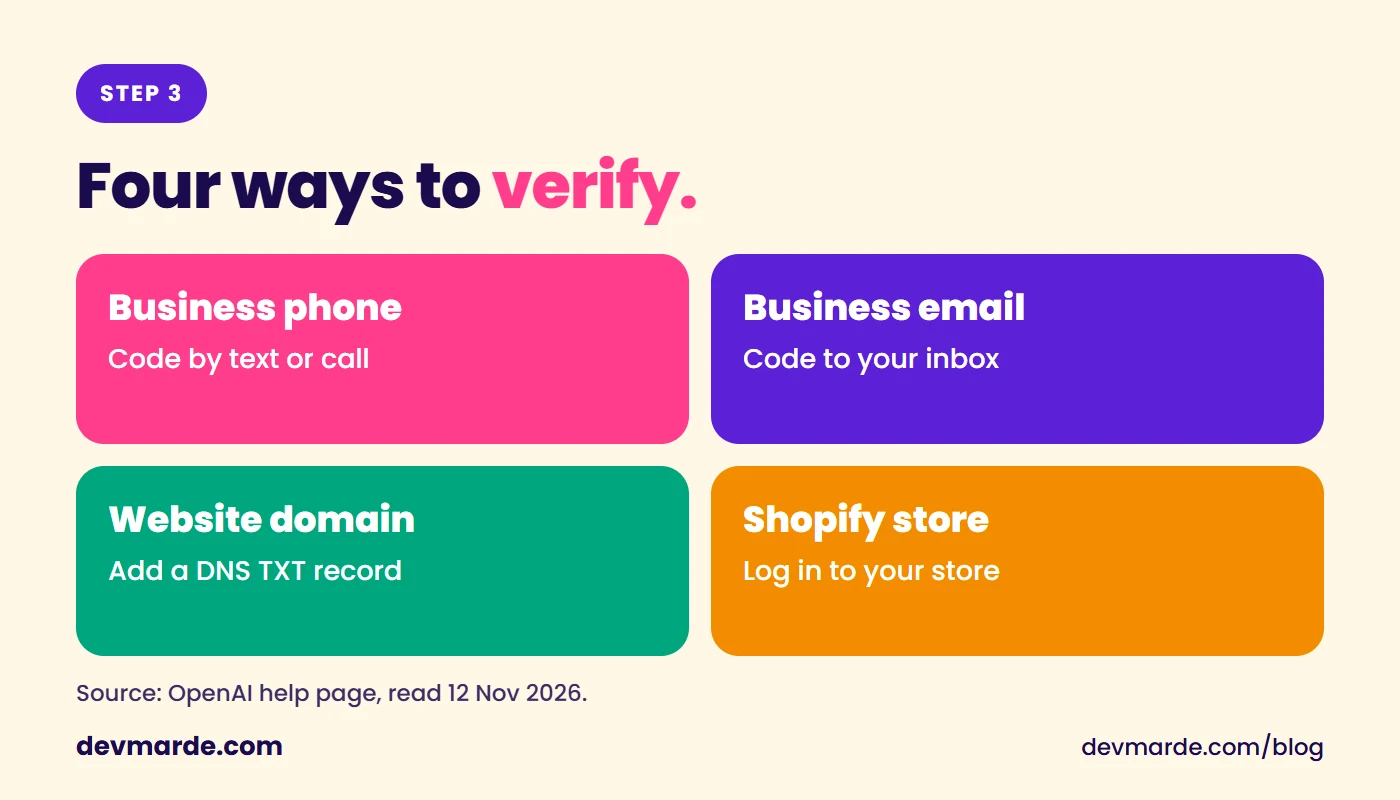
- Business phone: a code by text message or an automated call.
- Business email: a code sent to the email address tied to the business.
- Website domain: add the TXT record ChatGPT shows you to your domain's DNS, copying the type, name and value exactly. DNS changes can take time, so if someone else manages your domain, ask them to add it.
- Shopify store: connect and log in to the store you are claiming.
The ID check, and the blue check
Claiming alone does not give you a verified badge. The blue check appears after your Persona verification is approved. OpenAI says you may need a government-issued ID, business registration information and proof that you are authorised to represent the business. If a check fails, make sure the business name, address and any registration or tax number match your official records.
One warning from OpenAI: if you use Persona to create a new profile, approval publishes it automatically, with no separate publish step. Only continue when you are ready. A published profile cannot be hidden or deleted by support, only an unpublished draft can.
What the insights show
After approval, Insights shows the past 28 days: mentions, website clicks and discovery topics. For an online business a mention counts when ChatGPT references your website, not when it only names your brand. You do not see individual prompts or customer chats. A blank number does not necessarily mean zero, it can mean the data has not reached the reporting threshold.
What claiming will not do
- It does not guarantee more visibility. OpenAI says claiming lets you manage the information you give, not control ChatGPT's own recommendations, and advertising does not influence them either.
- Changes are reviewed. OpenAI reviews and publishes edits, and ChatGPT may still use other sources about you.
- Each brand is separate. Claiming a main brand does not claim its locations.
Business agents are a separate, optional step
Ecommerce and online service businesses with a website can also publish a business agent that answers customer questions from the information you provide. It explains products and policies and links to your site, it cannot take purchases or bookings. You can claim your business without ever creating one.
What to do this week
Do not file this under "later". It is a short job, and every week you skip it is a week the other owners get ahead. If you own a business and your details are wrong or missing anywhere AI systems look, claim the profile and fix the facts. Before you do, get your own site in order, because ChatGPT still reads it: make sure its crawler is not blocked (see how Cloudflare can block ChatGPT), that the text is readable without scripts (can ChatGPT read my website?), and that the page states who you are (sameAs schema for small businesses). Not sure where to begin? Fix things in this order, and start today, because the order matters more than perfection.
Source and credit: OpenAI, Setting up your business on ChatGPT. ChatGPT, OpenAI and Persona are trademarks of their owners. DevMarDe is not affiliated with OpenAI. Infographics by DevMarDe.
Related
View all →How to prioritize AI search fixes: what to do first
Not sure where to start with AI search? The order that works: let bots in, make the page readable, state who you are, then earn mentions. Fix the first one first.
How to tell if AI search optimization is working
Six free ways to measure AI search optimization, in the order to check them: Google and Bing AI reports, ChatGPT referrals, crawler logs, a prompt panel and a free citation tracker.
Can ChatGPT read my website? Check it in 60 seconds
Four quick tests show whether ChatGPT, Claude and Perplexity can fetch and read your site: robots.txt, a crawler fetch, the raw HTML and your server logs. Free, no sign-up.
Find out whether AI answers can read your site.
Crawl Audit scores your own domain against the signals in this guide. The free check needs no sign-up; the full report is $7.89, one time.