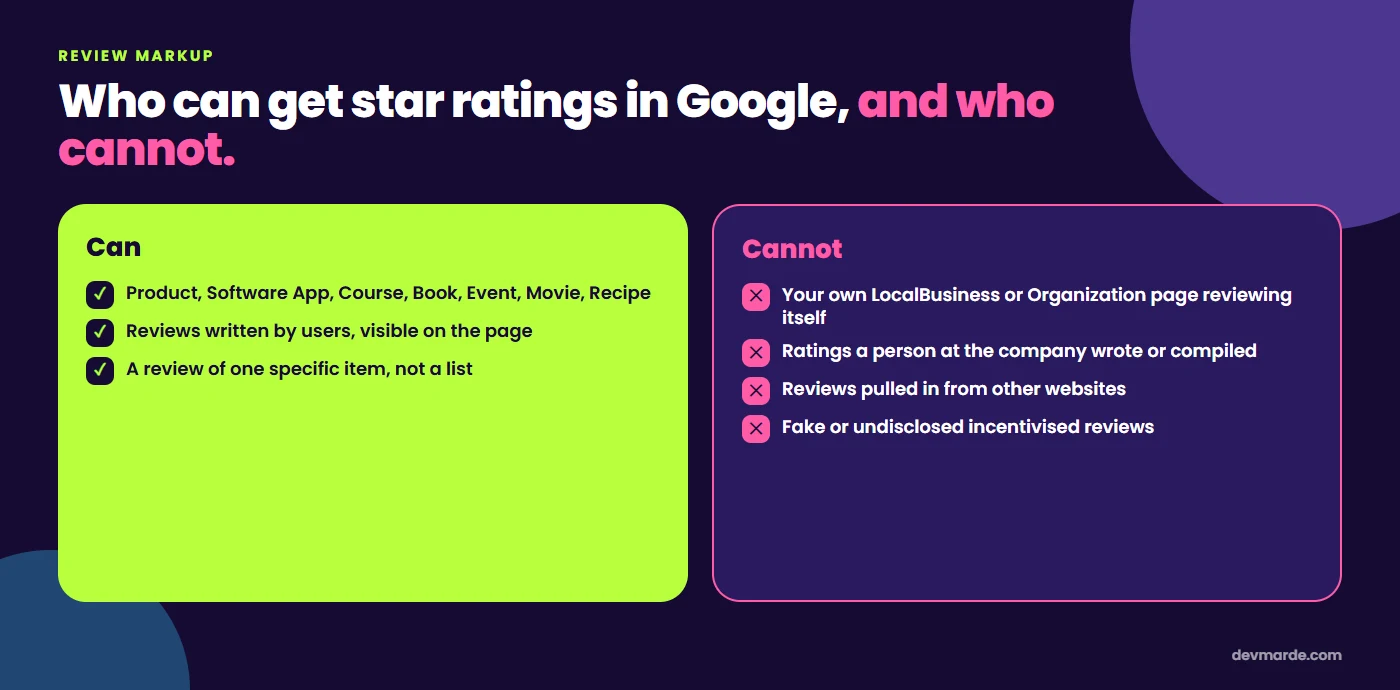
Short answer: a service business cannot get star ratings in Google by adding Review or AggregateRating markup to its own site for itself. Google's review snippet guidelines treat reviews of your own LocalBusiness or Organization that you mark up on your own page as self-serving, and they are not eligible for review rich results. Markup can still be valid and the testimonials can still stay on the page. They just will not produce stars. What you can do is below.
What Google actually says
Google's review snippet documentation lists the types that can show review stars and, separately, says that reviews placed on your own site about your own business, and marked up there, are self-serving. In practice that means three things.
- Your own business is out. A
LocalBusinessorOrganizationpage carrying reviews of itself is not eligible, however many testimonials it has. - Eligible types are specific. The documentation names types such as
Product,SoftwareApplication,Course,Book,Event,MovieandRecipe. - Content rules still apply. The reviews must be visible on the page, written by users, and not imported from other sites. Fake reviews and undisclosed incentivised ones are against the guidelines.
Google's local business documentation adds that aggregateRating and review on a LocalBusiness are for sites that review other local businesses, which is what a directory does.
What a valid review needs
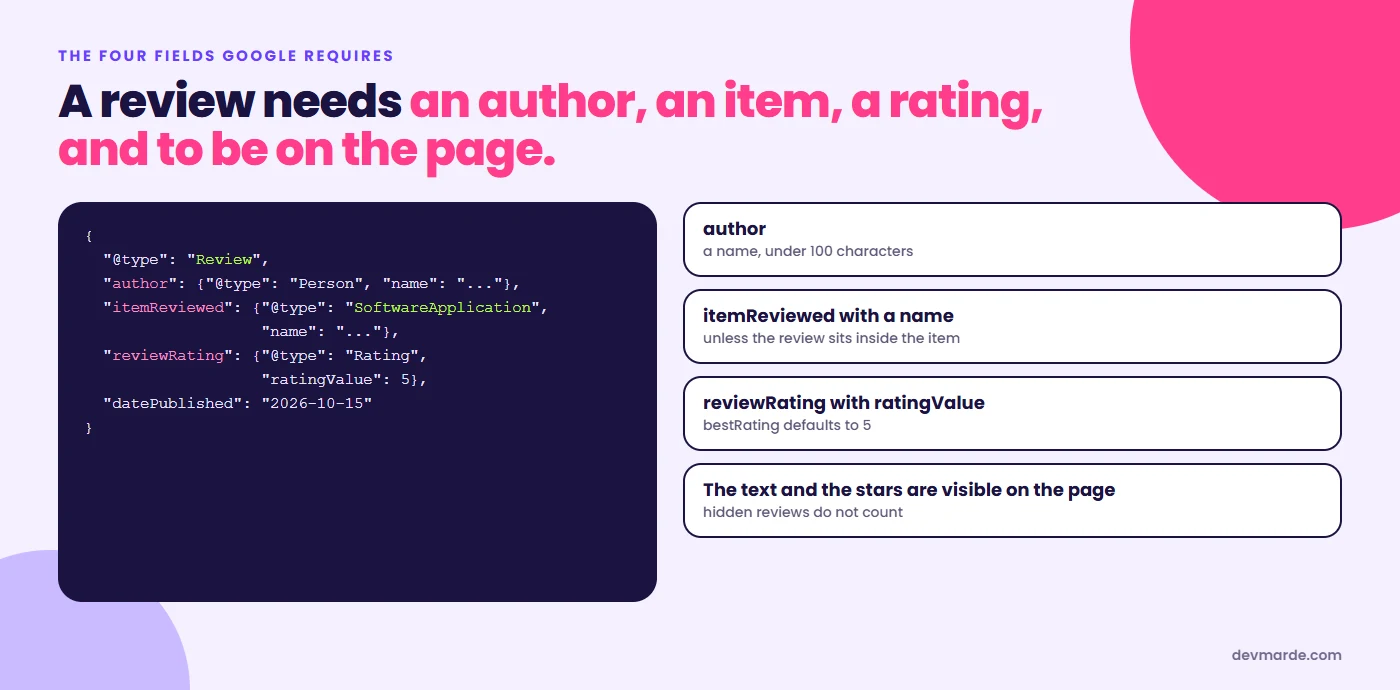
Where a type is eligible, Google requires the review to have an author, an itemReviewed with a name, and a reviewRating with a ratingValue. An AggregateRating needs a ratingValue plus either ratingCount or reviewCount. Here is a complete example for a software product:
<script type="application/ld+json">
{
  "@context": "https://schema.org",
  "@type": "SoftwareApplication",
  "name": "Your App",
  "applicationCategory": "BusinessApplication",
  "operatingSystem": "Android",
  "review": {
    "@type": "Review",
    "author": { "@type": "Person", "name": "Customer Name" },
    "datePublished": "2026-10-15",
    "reviewBody": "The text of the review, exactly as shown on the page.",
    "reviewRating": { "@type": "Rating", "ratingValue": 5, "bestRating": 5 }
  }
}
</script>
Everything in that block must also be visible on the page. Check it with Google's Rich Results Test before you publish, and remember that valid is not the same as eligible: the test can pass a block that Google will still not show stars for.
What a service business can do instead
- Keep the testimonials on the page. They help the person reading, and an AI assistant reading the page can see them. Show the name, the business, the date and what was done. A quote with no name is worth little.
- Collect the reviews where Google can use them. Your Google Business Profile reviews can show as stars beside your listing, and they are written on a platform you do not control, which is the point. Ask real customers, and do not pay for good ones.
- Review markup on what you sell as a product. If you sell a specific product or a software app, and customers review it, the eligible types apply to that item.
- Describe the business with the markup that is allowed.
LocalBusinessorOrganizationwith name, address, phone, hours andsameAslinks to your real profiles. No ratings in it.
What we do on devmarde.com
We publish no rating markup at all. We do not yet have customer reviews signed by the customers who wrote them, so there is nothing to mark up, and adding stars we could not source would break the guidelines above. Our case studies name the clients and describe the work, and we will show reviews when clients have put their names to them. If you check our source and find rating markup there, please tell us.
If you want help marking up your own business correctly, our schema generator writes the allowed kinds, and the UK small business plan shows where it fits. For how AI answers read a site more broadly, see the complete guide to AI search optimization.
Questions people ask
Can I put testimonials in schema on my own website?
You can write the markup, but for your own business it is not eligible for review rich results, because Google treats it as self-serving. The testimonials are still worth showing on the page for readers.
Does AggregateRating work for a local business?
Not for your own business on your own site. Google's documentation says aggregateRating and review for LocalBusiness are for sites that review other local businesses.
Which schema types can show review stars?
Google's documentation lists types including Product, SoftwareApplication, Course, Book, Event, Movie and Recipe. Check the current page before building, because the list can change.
Can I copy my Google reviews into my schema?
No. Google's guidelines say not to aggregate reviews from other sites into your own markup. Link to the profile instead, with sameAs.
Do fake or paid reviews cause problems?
Yes. Fake reviews and undisclosed incentivised reviews are against Google's guidelines, and they are the first thing a careful reader suspects too.
Sources
- Google Search Central, Review snippet (Review, AggregateRating) structured data, read 15 October 2026
- Google Search Central, Local business structured data, read 15 October 2026
Related
View all →AI crawler user agents: what to allow, from GPTBot to ClaudeBot
Every AI crawler name you will see in your logs, what each one is for, which to allow if you want to be found in AI answers, copy-paste robots.txt rules, and the test we ran on our own site.
AI search optimisation for UK small businesses: where to start
A five-day plan for a UK small business to become readable to AI answers: let the search bots in, show your company details the way GOV.UK expects, mark up your business, and build proof on profiles you do not own.
llms.txt for Shopify and WordPress: how to add it
What llms.txt is, the four-part format, a template you can copy, how to put it at /llms.txt on Shopify and WordPress, and what the big AI companies say about it.
Find out whether AI answers can read your site.
Crawl Audit scores your own domain against the signals in this guide. The free check needs no sign-up; the full report is $7.89, one time.